Submitting a support request takes less than a minute.
1. Open the tickets screen
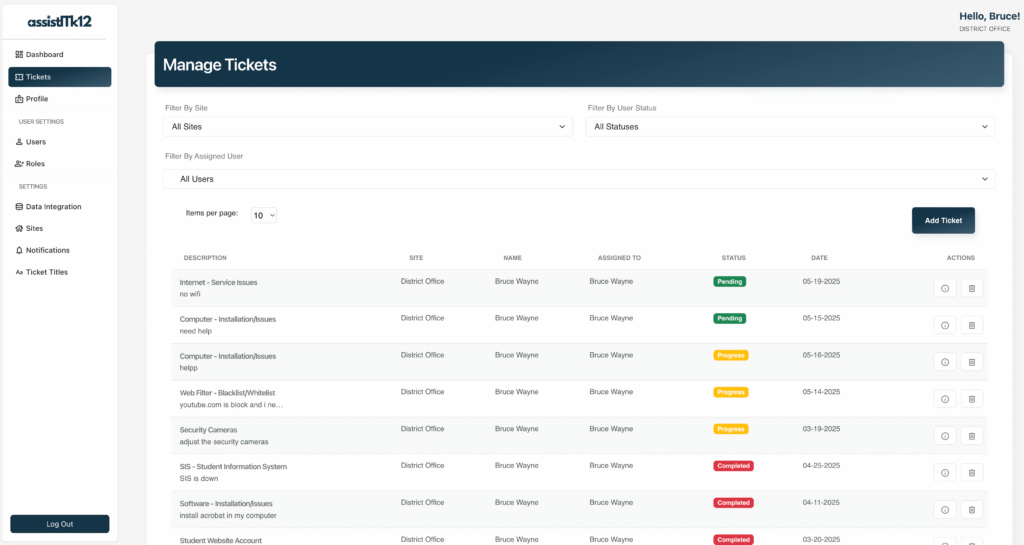
Click Tickets in the left sidebar.
2. Start a new ticket
Click the Add Ticket button.
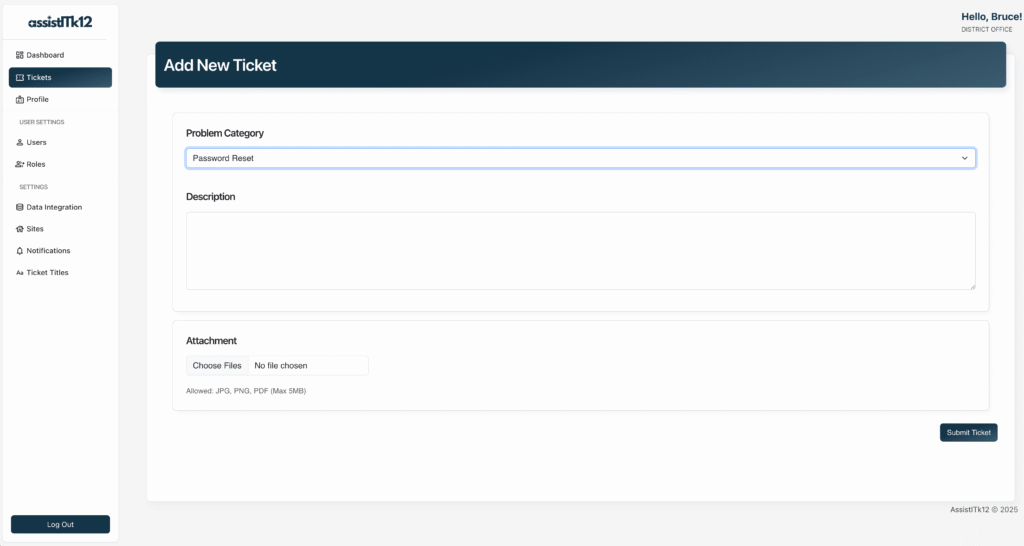
3. Fill out the form
- Choose a Problem Category from the drop-down menu
- Describe the issue in the Description box
- Optionally attach a file: click Choose Files under the attachment section, select the file, then click Open
4. Submit
Click Submit Ticket.
Where to find it after submitting
Your new ticket appears immediately in the All Tickets screen, where you and your IT team can track its status, priority, and assignment.
Next steps
- Curious what your IT team sees on their end? Read the Dashboard & Tickets Walkthrough.